

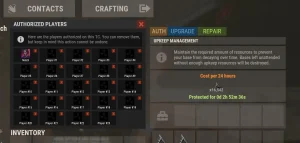
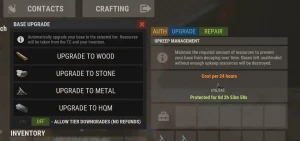
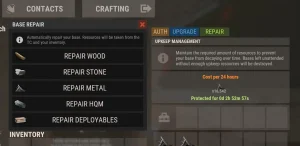
Upgrade the base. One click.
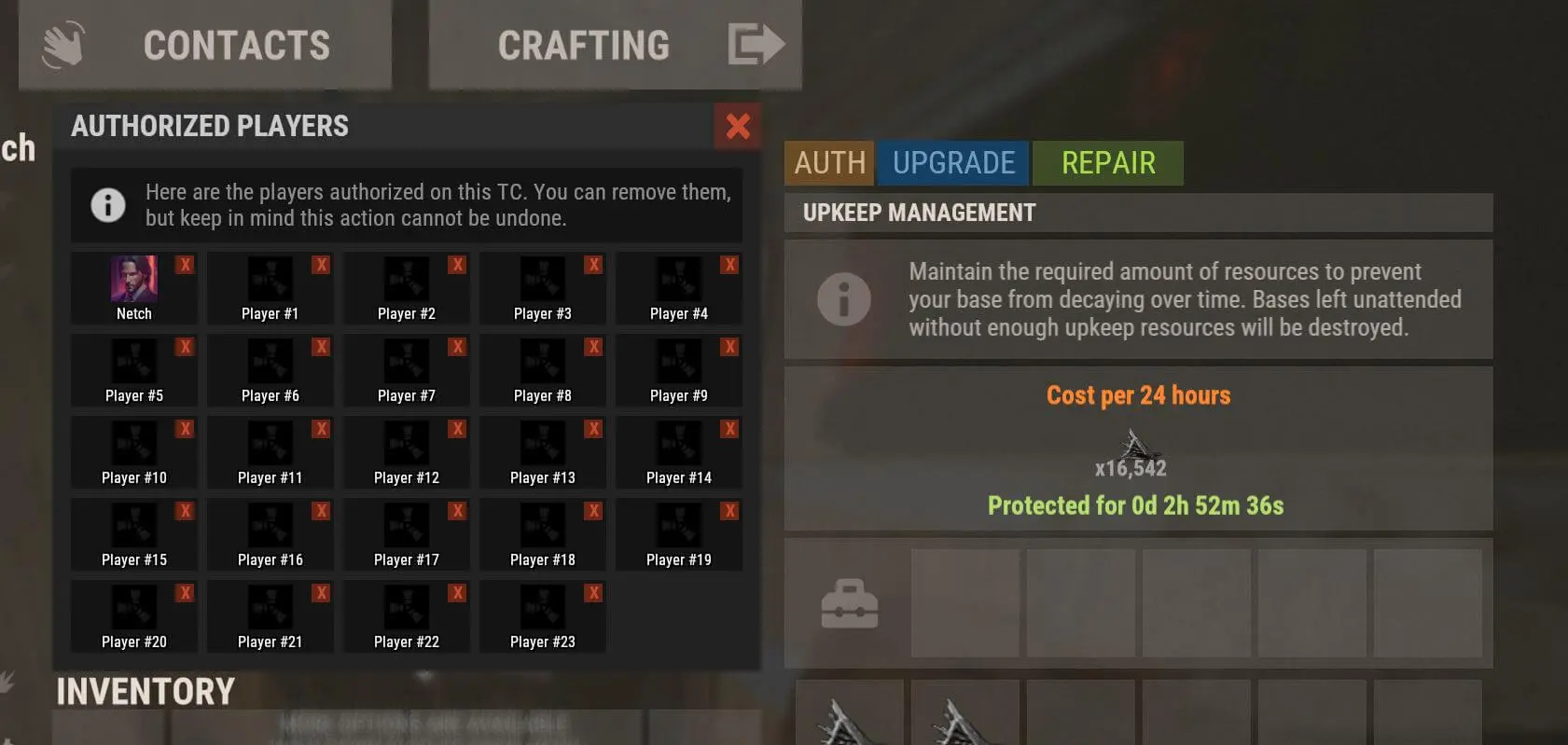
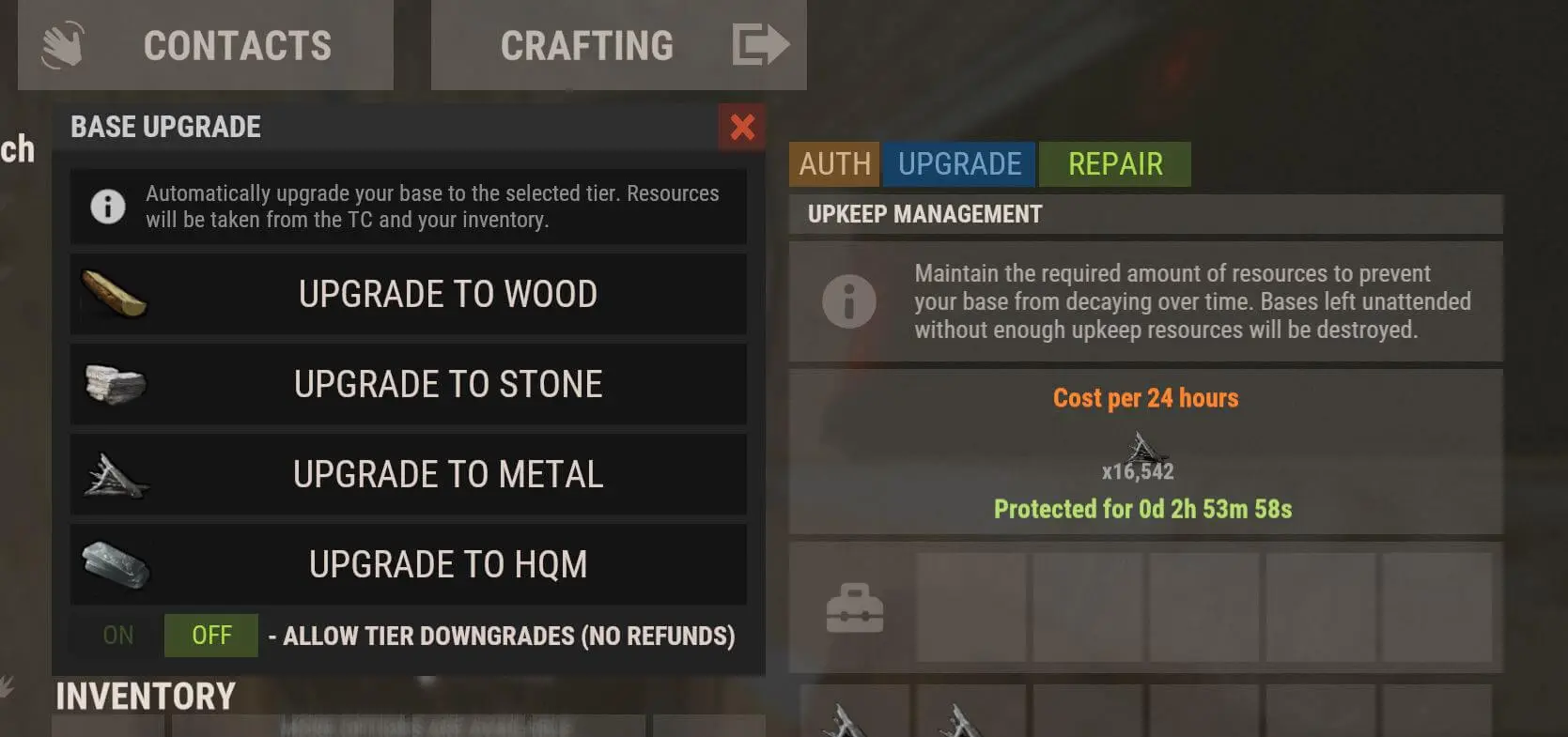
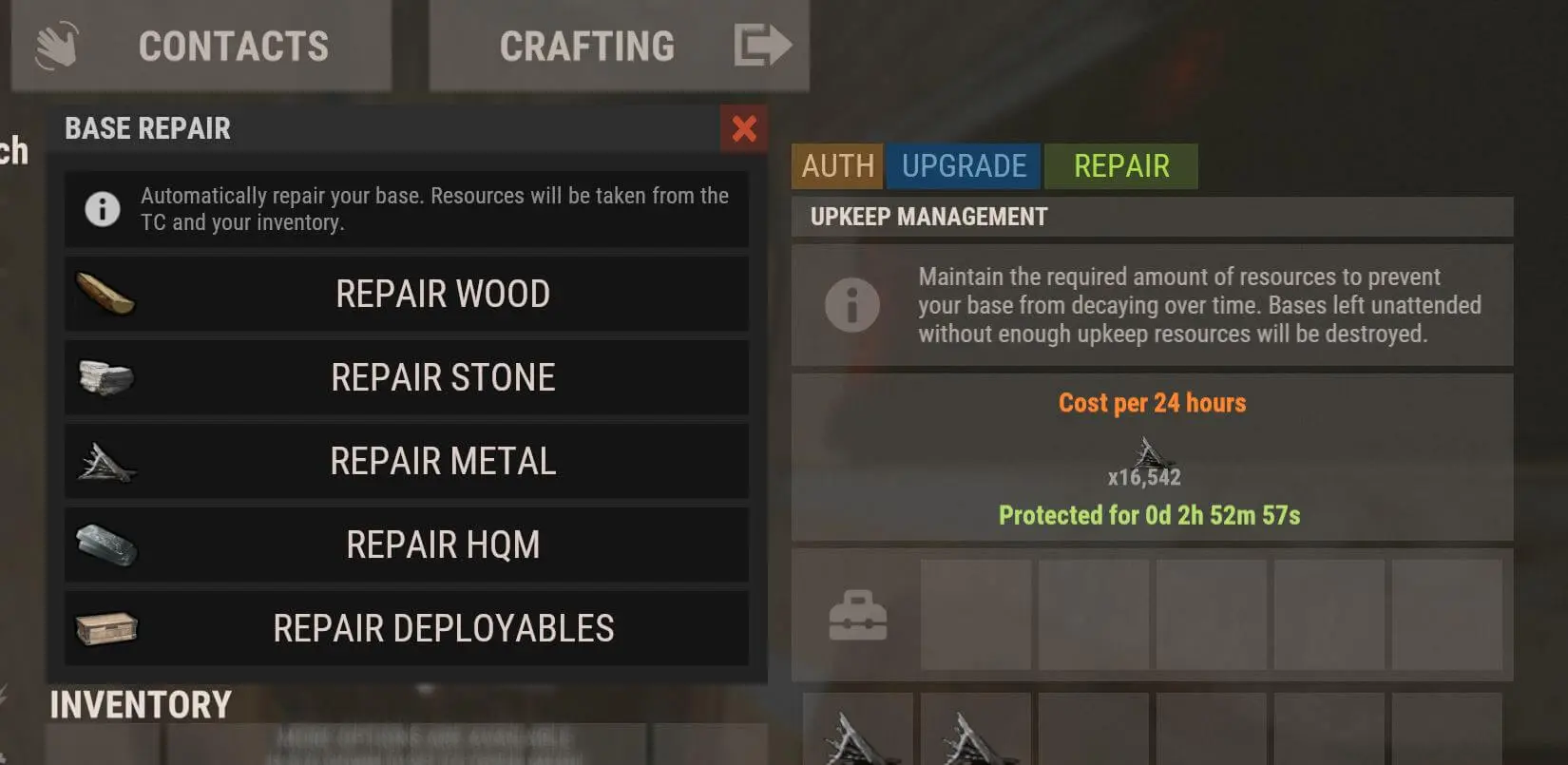
Players open their Tool Cupboard and upgrade, downgrade or repair their whole base with the click of a button, paid from the TC or their inventory. A built-in auth manager shows who’s authorized and lets them remove players.
Raid block support
Building Skins support
Watch it in-game
Built to grow your server
Hitting every wall with a hammer is the least fun part of Rust. Base Utility gives your players that time back.
More time playing
Upgrading and repairing a whole base takes one click instead of minutes with a hammer, so players spend their session farming, building and raiding.
Player experience
A rank perk worth buying
Set a faster upgrade and repair speed per permission tier, so VIPs finish sooner. Gate wood, stone, metal and HQM upgrades separately.
VIP value
Fair during raids
Built-in raid protection checks whether the base was raided recently and cancels the action, with optional No Escape and Raid Block support.
Server balance
Everything included
- Upgrade and repair bases with the click of a button
- Downgrades supported
- The UI shows when the player opens their TC
- Raid protection: cancels the action if the base was raided recently
- Takes resources from the TC or the player’s inventory
- Built-in TC auth manager to view and remove authorized players
- Permission for each tier: wood, stone, metal, HQM and deployable repair
- Faster speeds per permission tier
Commands & permissions
Use the copy button on any command, or click the command to select it.
PermissionsHow to grant permissions →
10
baseutility.useRequired to use and see the Base Utility UI.baseutility.downgradeOptional. Required to use the downgrade feature.baseutility.1Optional. Required to use wood utilities.baseutility.2Optional. Required to use stone utilities.baseutility.3Optional. Required to use metal utilities.baseutility.4Optional. Required to use HQM utilities.baseutility.dOptional. Required to use the repair deployable utility.baseutility.vipSpeed tier: 0.5 seconds between objects for upgrades and repairs (default config).baseutility.vip+Speed tier: 0.25 seconds between objects (default config).baseutility.vip++Speed tier: 0.1 seconds between objects (default config). Add or remove tiers in the config.
Console commandsF1 console, RCON, Tebex or web shop
0
Player chat commandsAvailable to everyone
0
Admin chat commandsStaff only
0
Speed tiers
Add or remove permission tiers to change the delay between each upgraded or repaired object.
  "Default upgrade delay between items (seconds)": 1.0,
  "Default repair delay between items (seconds)": 1.0,
  "Check permissions for the upgrade delay between objects (true/false)": true,
  "Permission: Upgrade delay between objects (seconds)": {
    "baseutility.vip++": 0.1,
    "baseutility.vip+": 0.25,
    "baseutility.vip": 0.5
  },
  "Check permissions for the repair delay between objects (true/false)": true,
  "Permission: Repair delay between objects (seconds)": {
    "baseutility.vip++": 0.1,
    "baseutility.vip+": 0.25,
    "baseutility.vip": 0.5
  }
Requirements & compatibility
-
Image Library
Required. Make sure player avatars are enabled in the Image Library config.
-
No Escape
Optional. Checks whether the player is escape blocked.
-
Raid Block
Optional. Checks whether the player is raid blocked.
-
Building Skins
Integration. Players pick base skins in the Building Skins UI, and Base Utility upgrades straight to the selected DLC skin. It also adds or updates their wallpaper preference if set.
-
Base Protection
Integration. The Base Protection purchase UI fits inside Base Utility automatically.
Frequently asked
Where do the resources come from?
Can I limit which materials players can upgrade to?
baseutility.1 to baseutility.4), and downgrading has baseutility.downgrade.Can players upgrade during a raid?
Player avatars aren’t showing in the auth manager.
What if I need help?
Give your players their time back
One-click upgrades and repairs, instant download.
v1.9.6 September 14, 2026 2 months ago Latest
- FIX Fixed an issue with one of the skins. (Building Skins integration)
v1.9.5 September 10, 2026 2 months ago
- FIX Fixed the cancel button not being removed when an upgrade or repair completed instantly.
v1.9.4 July 2, 2026 5 months ago
- FIX Fix for the monthly Rust update.
v1.9.3 June 4, 2026 6 months ago
- FIX Fix for the monthly Rust update.
v1.9.2 May 4, 2026 7 months ago
- FIX Fixed an issue where upgrading or downgrading a base could unintentionally affect nearby player bases.
v1.9.1 November 6, 2025 1 year ago
- FIX Fix for todays Rust update.
v1.9.0 October 10, 2025 1 year ago
- ADD Added support for the Barge plugin.
- UPDATE Updated UI to show LOCKED for players without permissions, consistent with building skins.
v1.8.2 July 7, 2025 1 year ago
- FIX Fixed a rare edge case related to UI initialization.
v1.8.1 April 3, 2025 2 years ago
- FIX Fix for todays Rust update.
v1.8.0 November 16, 2024 2 years ago
- UPDATE Updated to support wallpapers. (Requires Building Skins)
v1.7.7 October 3, 2024 2 years ago
- FIX Fix for todays Rust update.
v1.7.5 September 5, 2024 2 years ago
- FIX Fix for todays Rust update.
v1.7.4 September 2, 2024 2 years ago
- FIX Fixed an issue where the base search would sometimes fail to find the next wall.
v1.7.3 August 20, 2024 2 years ago
- REMOVE Removed the cost estimation from the UI since I've found it to be heavy on the server.
- UPDATE Updated to support bases with external TCs.
- UPDATE Updated the UI to match my new style + optimizations. Like all my plugins the colours can be changed in the config if you prefer the old style or want to match your servers brand.
- ADD Added a TC auth manager to view and remove players that have auth.
- ADD Added an info box to explain the tools to your new players.
- ADD Added a toggleable feature to downgrade the base, with an optional permission to use it.
v1.5.1 July 6, 2024 2 years ago
- FIX Fix for todays Rust update.
v1.5.0 April 3, 2024 3 years ago
- ADD Added permission based upgrade/repair times on Base Utility. (Optional)
- ADD Added a config option to remove the delay when changing skins of the same grade. Adobe to brick for example.
- ADD Added support for the Raidblock plugin.
4 reviews for Base Utility
Only logged in customers who have purchased this product may leave a review.
Related products







SKseven (verified owner) –
This is by far the best plugin to upgrade your base. Simple and easy without lags. The support is also great. Everything is taken care of.
kultcraz (verified owner) –
Best of its kind from an awesome developer. Would recommend any time.
klaxxon24 (verified owner) –
Great Plugin.
spartan (verified owner) –
The plugin does exactly what it sets out to do, and the developer is active and very helpful with any issues I’ve come to them with. 10/10 recommend. Great plugin!