

$19.99
Protect every base after wipe, shield new players until they’ve earned some playtime, and add offline or purchased protection on top. Partial damage reduction, protected TC limits and raid block support keep raiding part of the game.
Raid protection, your rules.
Protect every base after wipe, shield new players until they find their feet, and add offline or purchased protection on top. Partial damage reduction, TC limits and raid block support keep raiding part of the game.
Economics
Server Rewards
NoEscape
PlaytimeTracker
Built to grow your server
Losing a base overnight is one of the top reasons players quit a Rust server. Base Protection gives them a reason to stay without taking raiding away.
A fair start for everyone
Every base is protected for the first hours of a wipe, and new players stay protected until they’ve put in real playtime. Fresh players get established instead of quitting on day one.
Player retention
Raiding still matters
Activation delays, raid block support, a cap on protected TCs and partial damage reduction stop players hiding loot or logging out mid-raid. You decide how safe a protected base really is.
Server balance
Something worth spending on
Let players buy protection time from their tool cupboard with items, Economics or Server Rewards points. It gives your in-game economy a steady, useful sink.
Server economy
Three types of protection
Use them together or on their own. Each one is switched on and tuned in the config.
Wipe protection
- Every base is protected for a set time after wipe, 24 hours by default
- Players get established before raiding starts
- Players are told in chat when it ends
New player protection
- Bases of new players are protected until they reach a set amount of playtime
- Optional real-time cap, so it can’t be held forever by staying offline
- AFK time can be counted or ignored
- Requires PlaytimeTracker
Timed protection
Choose one of two modes.
- Offline protection: bases are protected for a set time after the owner logs out, based on their permission
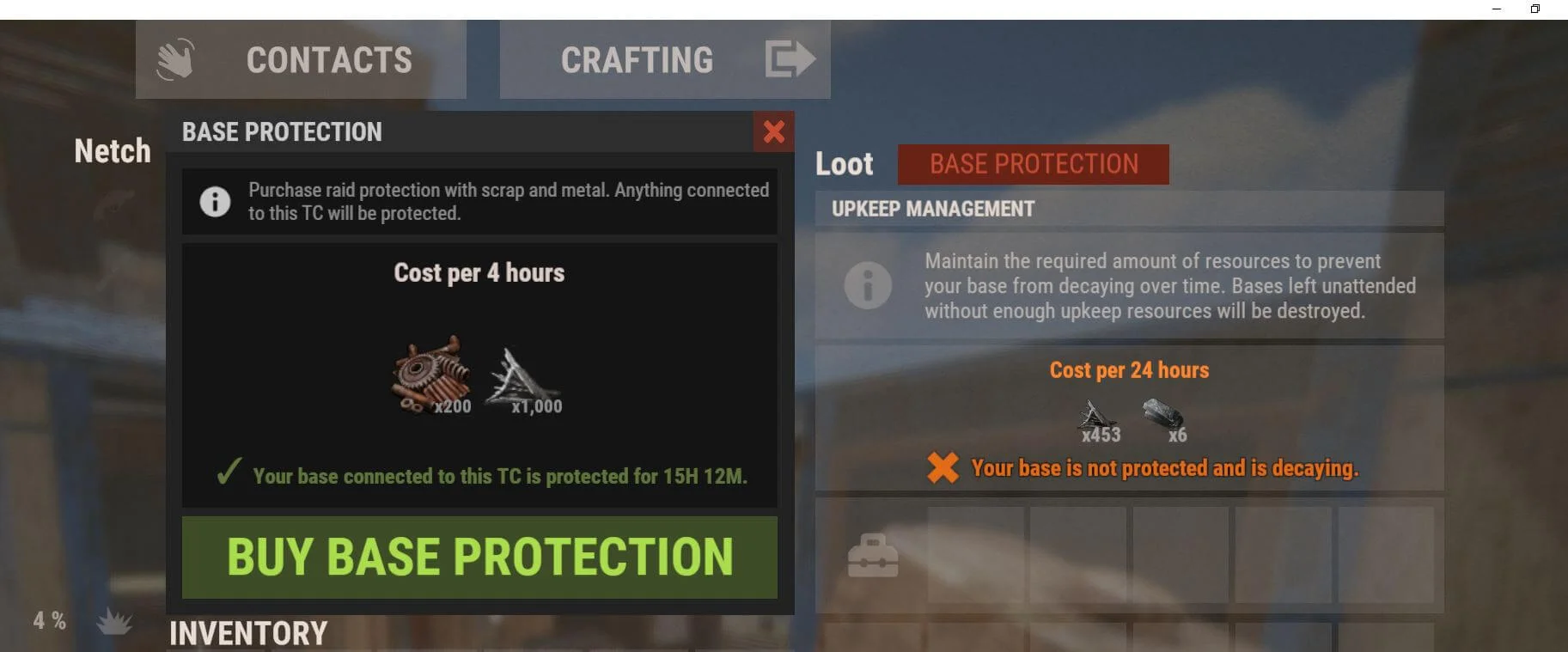
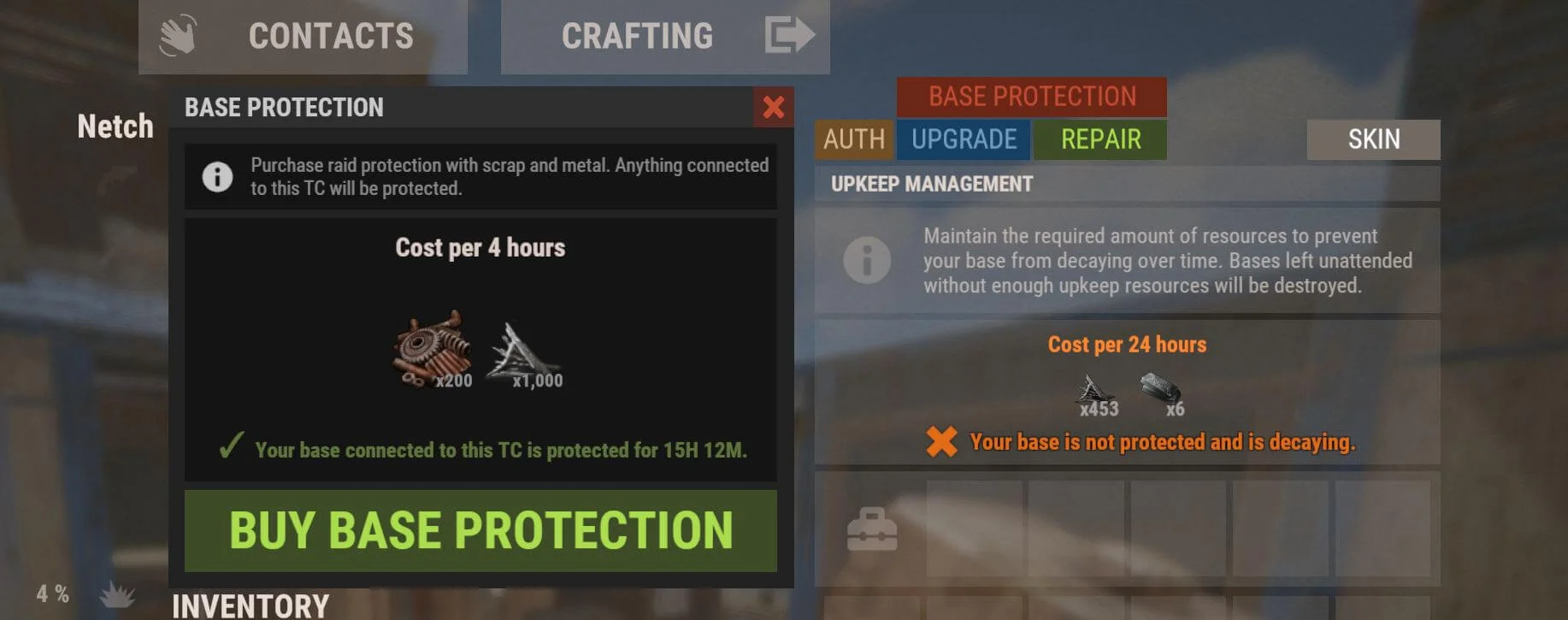
- Purchased protection: players buy protection time for a base from a button on its tool cupboard, and can stack more time whenever they like
Everything included
Offline protection
- Players toggle it with
/protection, or you turn it on and off automatically when they join or leave - VIP tiers: each permission gives a different length of protection, so you can sell longer protection as a VIP perk. No limit on the number of tiers
- Activation delay: protection starts a set time after it’s enabled, so players can’t log out mid-raid to save their base
- Team support: protect a base based on who placed the TC, or on everyone authorised on it
Purchased protection
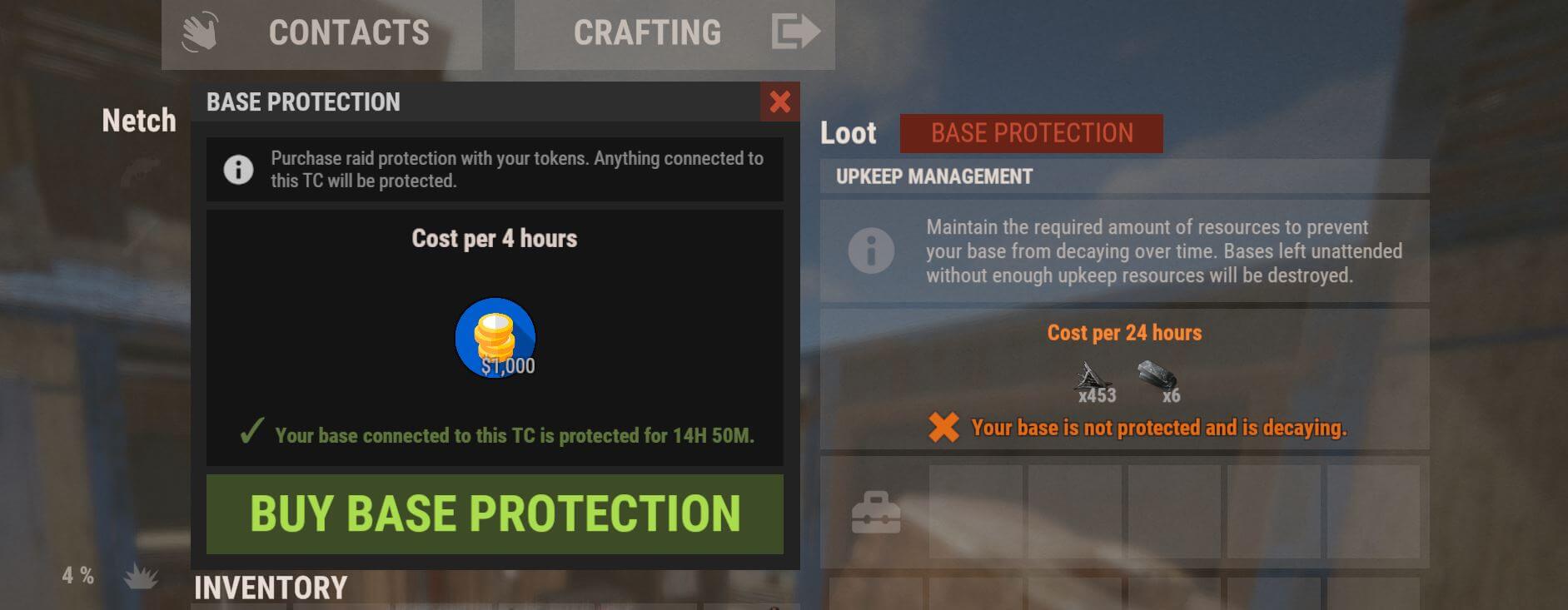
- Your choice of currency: items (up to 8 different items per purchase), Server Rewards points or Economics balance
- X hours for X resources, with cost scaling with base size or a flat rate
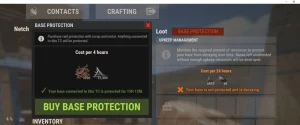
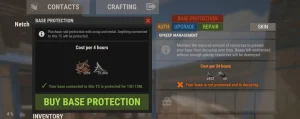
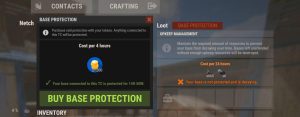
- In-game menu on the tool cupboard shows the cost, time left and a buy button. Colours and images are configurable
- New TC cooldown: block purchases on freshly placed TCs, so raiders can’t drop a TC and protect it straight away
- Wipe aware: purchased protection is cleared automatically on a new map
Balance and anti-abuse
- Protected TC limit per player or team, so loot can’t be spread across many protected bases
- Raid block support: no enabling or buying protection while raid blocked (requires NoEscape)
- Partial protection from 0 to 100% damage reduction, to make raiding more expensive instead of impossible
- Ignored objects: turrets, SAM sites and traps are never protected by default, so protected bases can’t be used as offensive outposts
- Twig, decay and self-damage can each be protected or left vulnerable. By default twig isn’t protected, bases still decay and owners can damage their own base
- TC requirement: optionally protect only structures connected to a tool cupboard (wipe and new player protection)
Players and admins
- Clear feedback: attackers are told why their damage isn’t working, with a cooldown to prevent chat spam
- Placement tips: optionally remind players about protection when they place a TC
- Fully translatable: every message and UI label is in the lang file, with a configurable chat prefix, colour and icon
- Player check: see which protections a player currently has
- Data wipe on command, or automatically on every new map
- Configurable command names and separate permissions for using protection, each VIP tier and admin commands
What your players will see
Commands & permissions
Use the copy button on any command, or click the command to select it. Command names can be changed in the config.
PermissionsHow to grant permissions →
baseprotection.useAllows use of the/protectionchat command and the protection menu.baseprotection.adminAllows use of the admin chat and console commands.baseprotection.defaultOffline protection tier: bases are protected for a set time after the owner logs out.baseprotection.vipOffline protection tier: bases are protected for a set time after the owner logs out.baseprotection.exampleOffline protection tier: bases are protected for a set time after the owner logs out. Add as many tiers as you need in the config.
Console commandsF1 console, RCON, Tebex or web shop
baseprotection.wipeClears all protection data. Can also run automatically on every new map.Requiresbaseprotection.admin
Player chat commandsAvailable to everyone
/protectionTurns offline protection on or off (Offline protection mode only).Requiresbaseprotection.use
Admin chat commandsStaff only
/bp_admin check <Player Steam 64 ID>Shows which protections the selected player currently has.Requiresbaseprotection.admin
Requirements & compatibility
-
Required. Needed for the plugin’s menu images.
-
Optional. Needed for new player protection.
-
Optional. Stops players enabling or buying protection while raid blocked.
-
Optional. Lets players buy protection with their Economics balance (Purchased protection).
-
Optional. Lets players buy protection with Server Rewards points (Purchased protection).
-
Integration. The purchase menu automatically fits inside Base Utility.
Frequently asked
Can I use more than one type of protection?
Will protection make raiding pointless?
Can protected bases be used to attack other players?
Do I need Economics or Server Rewards?
Can VIPs get longer protection?
baseprotection.default, baseprotection.vip and baseprotection.example, and you can add as many tiers as you need.What happens to purchased protection on a new map?
baseprotection.wipe, or have it done on every new map.What if I need help?
Protect your players without ending raiding
Three protection types, instant download.
v2.7.0 November 16, 2026 3 days ago Latest
- FIX Fixes and improvements.
- ADD Added an optional limit on the number of TC's a player or team can protect.
- ADD Added optional configuration settings to scale protection costs based on base size.
v2.6.4 June 4, 2026 6 months ago
- FIX Fix for the monthly Rust update.
v2.6.2 December 11, 2025 11 months ago
- FIX Fixed an issue where the plugin still prevented decay even when disabled in the configuration.
v2.6.1 November 8, 2025 1 year ago
- FIX Fix for the November 6th Rust update.
v2.6.0 July 7, 2025 1 year ago
- ADD Added settings to protect all bases X minutes after a wipe.
- ADD Added settings to protect bases of new players for their first X minutes of playtime.
- ADD Added settings to add or remove protection when the player joins/leaves. With this you can have offline protection only.
- ADD Added commands to check all authed players (for permission based protection).
v2.5.1 October 3, 2024 2 years ago
- FIX Fix for todays Rust update.
v2.5.0 September 5, 2024 2 years ago
- ADD Added settings to protect all bases X minutes after a wipe.
- ADD Added settings to protect bases of new players for their first X minutes of playtime.
- ADD Added settings to add or remove protection when the player joins/leaves. With this you can have offline protection only.
v2.4.1 August 20, 2024 2 years ago
- UPDATE Updated the UI to match my new style.
- UPDATE Updated to protect against any source of damage including NPCs.
- ADD Added an optional config setting to protect against decay.
- ADD Added support for Economics and Server Rewards to purchase protection. (Defaults to items)
v2.3.4 July 6, 2024 2 years ago
- FIX Fix for todays Rust update.
1 review for Base Protection
Only logged in customers who have purchased this product may leave a review.
Related products



spartan (verified owner) –
One of the best Raid Protection plugins I’ve found, Highly recommend!
The plugin does exactly what it sets out to do, and the developer is active and very helpful with any issues I’ve come to them with. 10/10 recommend. Great plugin!